
Download Crystal Identifier App
Free crystal scanner app powered by AI. Photograph any crystal, rock, or mineral and get the species name, Mohs hardness, crystal system, and value estimate in seconds. Available on iOS and Android with no account required.
What Is the Crystal Identifier App
Crystal Identifier is a mobile app that turns your phone camera into a mineral identification tool. Point it at any crystal, rock, gemstone, or mineral specimen and the AI returns the name, crystal system, Mohs hardness, formation environment, and an estimated market value — usually within four or five seconds.
The app runs on the same AI engine that powers the Crystal Identifier website, but it adds features that only make sense on a phone. You get a built-in crystal guide covering over 4,000 mineral species with photographs, physical properties, and locality data. Every scan you run is saved to a searchable history, so when you come home from a collecting trip with thirty unlabeled specimens and a fading memory of which creek each one came from, the timestamps and results are still there. You can tap any past result and ask follow-up questions — what is the streak color, where does this mineral typically form, is it commonly treated or synthesized.
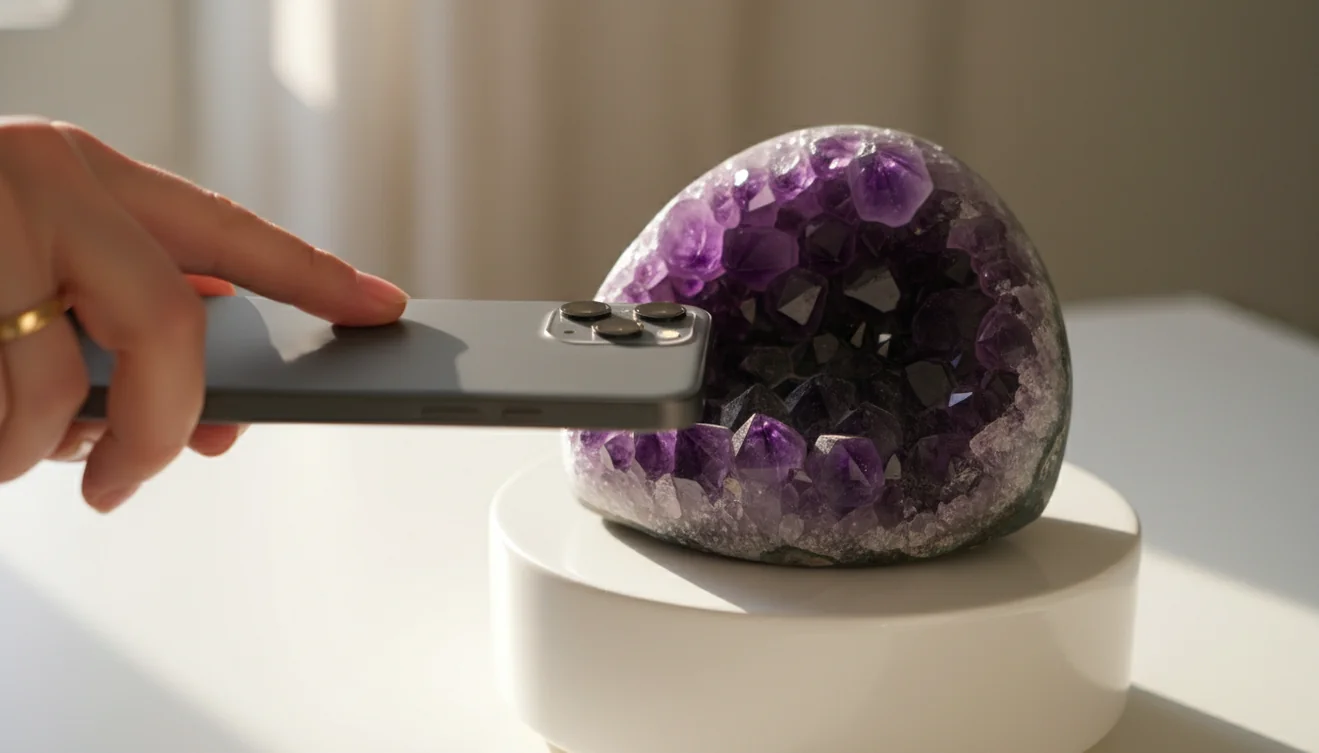
Offline Caching and Field Use
Offline caching means previously scanned specimens load instantly without a cell signal. That matters when you are standing in a pegmatite pocket at the back of a mine with no reception, or hiking a trail in the mountains where the nearest tower is twenty miles away. You will not get new scans without internet, but everything you have already identified stays accessible.
The app provides identification estimates, not certified appraisals. For specimens of significant value, consult a licensed gemologist or geologist.
App Features
AI Scanner
Point your camera at any specimen and get an identification in seconds. The AI reads color, crystal habit, luster, transparency, and surface texture from a single photograph. Works on rough points, tumbled stones, clusters, cabochons, and minerals still embedded in matrix.
Crystal Guide
Browse a reference library of over 4,000 mineral species. Each entry includes photographs, Mohs hardness, crystal system, chemical formula, formation environment, and notable localities. Useful for learning the differences between similar-looking species before you visit a gem show or head out collecting.
Scan History
Every identification is saved with a timestamp and the original photo. Search past scans by name, date, or hardness. Label your collection, track what you have found on different trips, and revisit results months later without rescanning.
Follow-up Questions
Tap any result and ask the AI for more detail. What is the streak color? Where does this mineral form? Is this species commonly heat-treated? The conversation continues from your scan, so the AI already knows which specimen you are asking about.
Offline Mode
Previously scanned specimens are cached locally. Review your full scan history and crystal guide entries without an internet connection. New scans require a network connection, but everything you have already identified stays on your device.
Value Estimates
The AI returns an estimated market value range based on species, typical quality, and current collector pricing. Useful as a quick sanity check at gem shows and rock shops. Not a substitute for a professional appraisal, but enough to know whether a $200 price tag is in the right ballpark.
How to Use the Crystal Identifier App
Download and Open
Install the free app from the App Store or Google Play. No account creation is required. You can start scanning immediately after the download finishes.
Photograph Your Specimen
Use natural daylight when possible. Place the crystal on a plain surface or hold it steady. If the surface is dusty or dry, wetting it with a fingertip reveals color and luster that the AI uses for identification. Show crystal faces or fracture surfaces when visible.
Review the Results
The AI returns the mineral name, crystal system, Mohs hardness, formation type, and value estimate. If confidence is lower, alternative candidates are ranked by probability. Tap the result to explore the crystal guide entry or ask follow-up questions.
Save and Compare
Every scan is stored in your history. Compare specimens side by side, build a labeled catalog of your collection, and revisit identifications offline. Export results or share them with fellow collectors directly from the app.
Getting the Most from the Crystal Identifier App

Why Use a Crystal Identifier App
Carrying a field guide and a hand lens works, but it is slow. You thumb through pages, compare photographs that never quite match the specimen in your hand, and end up narrowing it to three candidates you cannot separate visually. An AI crystal identifier app processes the same visual cues in seconds and ranks candidates by probability. It is not replacing the hand lens — it is replacing the twenty minutes of page-flipping that follows. At a gem show with two hundred dealer tables, those minutes add up fast. At a riverbed with daylight fading, even faster. The app sits in your pocket and does the lookup before the moment passes.
Accuracy and Limitations
The app is reliable for common specimens: quartz varieties, calcite, fluorite, tourmaline, pyrite, garnet, and the major feldspar groups. It handles tumbled stones, rough specimens, and polished cabochons. Where accuracy drops is at the margins — heavily weathered surfaces with no visible luster, minerals that share identical visual properties (orthoclase versus plagioclase), or rare species with fewer reference images in the training set. The AI always tells you its confidence level. When it is uncertain, it lists alternatives and suggests which physical test would confirm the identification. Treat high-confidence results as strong first estimates. Treat low-confidence results as starting points for further investigation.
Web vs App Identification
The web scanner on crystalidentifier.net and the mobile app use the same AI engine. Results are identical for the same photograph. The difference is everything around the scan. The app stores your history, lets you ask follow-up questions, caches specimens offline, and includes the full 4,000-species crystal guide. The web version is useful when you are at a desk and want a quick one-off identification without installing anything. The app is built for people who scan regularly — collectors, hobbyists hitting gem shows, rockhounds on weekend field trips. If you scan more than a handful of specimens a month, the app pays for itself in saved time alone.
Tips for Getting the Best Scan Results
Lighting makes or breaks a scan. Overcast daylight or a north-facing window gives the most accurate color and luster. Indoor fluorescents cast a yellow or green tint that shifts perceived color enough to confuse the AI on species where color is the primary diagnostic. Flash washes out luster entirely — avoid it. Place the specimen on a plain white or gray surface. If you are scanning at a gem show, step toward the nearest natural light source or use your phone's flashlight at an oblique angle to preserve surface reflections. Wet dusty or matte specimens with a fingertip. Show crystal faces or cleavage planes when they exist. Two good photos from different angles are better than five rushed ones.

Related Identification Tools
Each tool uses the same AI engine, tuned for that specific category. Pick the one that matches your specimen.
Frequently Asked Questions
Is the app free?
Yes. The app is free on iOS and Android with multiple daily scans, the full crystal guide, and scan history. A subscription unlocks unlimited scans.
Available platforms?
iOS (iPhone and iPad) via the App Store and Android via Google Play. Both share the same AI engine and feature set.
Scans per day?
Free users get multiple scans per day, resetting every 24 hours. Subscribers get unlimited scans with no cooldown.
Does it work offline?
Previously scanned specimens are cached and load without internet. New scans require a connection because the AI runs on cloud servers.
App vs gemologist accuracy?
The app reads visual cues from a photo and provides strong first-pass identification. A gemologist uses physical instruments that detect properties no camera can capture, so confirm high-value specimens professionally.
Rocks and minerals too?
Yes. The same AI handles crystals, rocks, minerals, gemstones, fossils, and stones. It returns the name, hardness, crystal system, and formation environment regardless of category.
Is photo data stored?
Photos are processed for identification and are not sold or shared. Scan history is stored locally on your device and can be deleted anytime in settings.
Free vs paid version?
The free version includes multiple daily scans, the full crystal guide, and scan history. The paid subscription only removes the daily scan limit — all features and accuracy are identical.
Use at gem shows?
Yes. Point the camera at a specimen in a dealer's flat to get a name and value estimate before you negotiate. Step toward natural light to avoid fluorescent color shifts.
Can it identify meteorites?
The app flags specimens that visually resemble meteorites based on fusion crust and surface texture. Confirmed classification requires physical testing like density measurement and cut-section analysis.